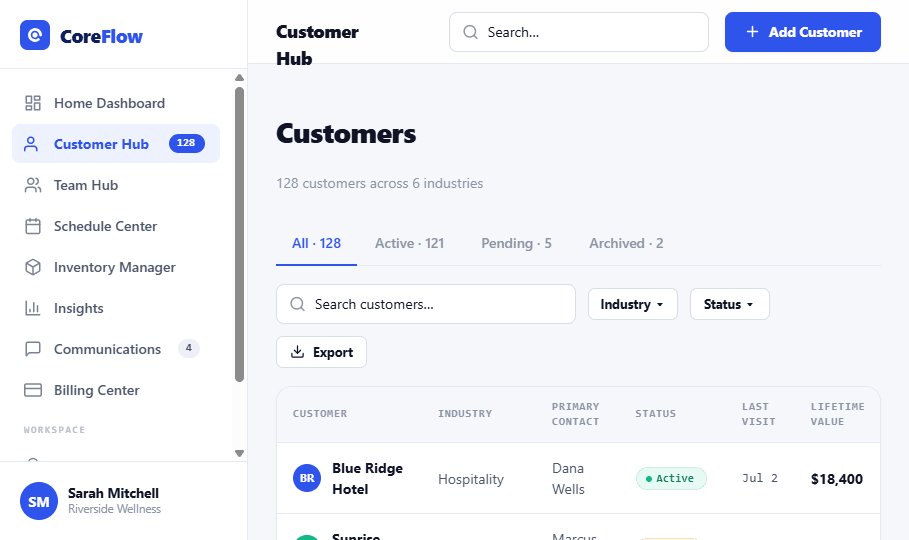
The 4 areas of the Customer Hub
 1234
1234
1Tabs, All, Active, Pending, Archived.
2Search & filters, by name, industry, status.
3Add Customer, create a new record.
4The list, each row is a customer.
Do it fast
Find a customer
Type in the
Search… box above the list.
Open a record
Click Open at the end of the row.
Add a customer
Click
Add Customer, a name is all that's required.
Narrow the list
Use the Industry and Status filter buttons.
Status badges
Active Current customer.
Pending Still being set up.
Archived Set aside, history kept.
Good habits
✓Keep contact details current so the whole team stays in sync.
✓Archive, don't delete, it keeps the history while clearing your active list.
✓Check Lifetime value to recognize your best customers.
✦Fastest path: search first, open the record, act. Scrolling the full list is almost never the quickest way to the customer you need.
